
B2b web design strategy for complex buyer journeys
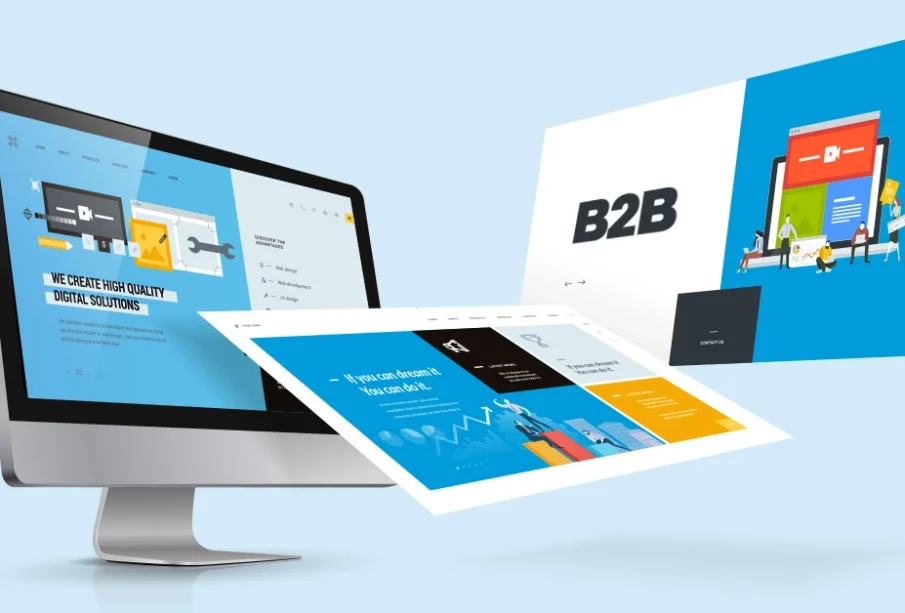
A B2B website must support a buying process that is often lengthy, research-driven, and influenced by several stakeholders. Unlike a simple consumer transaction, a business purchase may involve technical reviewers, department managers, finance teams, procurement specialists, and senior executives. A successful website must help each of these visitors find credible information and move confidently toward the next step.
A professional website plays an important role in how businesses communicate their expertise and value. Effective B2B web design combines clear messaging, intuitive navigation, and layouts that support business-focused audiences.
Begin With the Buyer Journey
Website planning should start with an understanding of how customers make decisions. Companies need to identify the questions buyers ask when they first recognize a problem, compare possible solutions, evaluate providers, and seek internal approval.
Early-stage visitors may need educational resources that explain the problem. Buyers at the comparison stage may want service details, case studies, technical information, and evidence of experience. Decision-stage visitors may need implementation guidance, pricing context, security documentation, or a direct conversation with sales.
Mapping these needs helps determine which pages the website should contain and how they should connect.
Design for Multiple Stakeholders
A single organization may contain several people who influence a purchase. Each stakeholder approaches the website with different priorities.
Technical evaluators may focus on compatibility, security, and implementation. Financial stakeholders may want to understand cost, risk, and expected value. Operational teams may look for usability and support, while executives consider strategic impact.
The website should make this information easy to locate without creating separate and disconnected experiences. Clear navigation and role-relevant resources can help every stakeholder build confidence.
Clarify the Value Proposition
Many B2B websites begin with broad statements that could apply to almost any company. Phrases such as innovative solutions or trusted partner do not explain why a buyer should continue exploring.
The opening section should identify the audience, the problem being addressed, and the value the company provides. It does not need to explain every service immediately, but it should establish relevance.
Supporting information can then provide evidence through customer outcomes, specialist expertise, technical capabilities, or a distinctive approach.
Organize Information Logically
Navigation should reflect how buyers think rather than the company’s internal departmental structure. Visitors should be able to find solutions, industries, resources, and contact options without learning the organization’s terminology.
Complex menus can make a capable company appear difficult to understand. Important content should be grouped into clear categories, and page labels should describe what visitors will find.
Internal search may be useful for websites containing large resource libraries or technical documentation, but it should support rather than replace intuitive navigation.
Create Strong Service Pages
Service pages should do more than present a short description and contact form. They should explain the customer problem, the company’s approach, expected outcomes, relevant capabilities, and the next step.
Buyers may also need answers about implementation, timelines, integration, support, or suitability. Addressing these questions helps visitors evaluate the offering before speaking with sales.
Service pages should connect with relevant case studies, insights, and supporting resources. These connections create a more complete research experience.
Use Evidence to Build Trust
B2B buyers are careful because a poor decision can affect budgets, operations, and professional reputations. Websites should support claims with credible evidence.
Customer stories can demonstrate how the company solves real problems. Certifications, partnerships, awards, and specialist qualifications may also be relevant when presented with context.
Numbers should be accurate and meaningful. A statement such as years of experience is more persuasive when connected to the expertise that experience created.
Make Content Easy to Scan
Business buyers are often busy and may review several providers. Clear headings, concise paragraphs, descriptive labels, and visual hierarchy help visitors understand a page quickly.
Scannability does not mean removing important details. It means organizing information so readers can identify the most relevant sections and explore them at their preferred depth.
Tables, diagrams, summaries, and frequently asked questions can improve comprehension when they are used for a genuine purpose.
Connect the Website With Sales
A B2B website should support the sales process rather than operate as a separate marketing asset. Sales representatives can provide valuable information about buyer objections, competitor comparisons, and frequently requested materials.
Website planners should interview sales teams before creating the structure. This may reveal missing content such as implementation guides, comparison resources, or role-specific explanations.
After launch, sales feedback can show which pages help conversations and which questions remain unanswered.
Design Appropriate Conversion Paths
Not every visitor is ready to request a sales call. The website should offer conversion options suited to different levels of intent.
A buyer beginning research may want to read a guide or view a case study. A visitor evaluating providers may be ready to request a consultation or demonstration.
Calls to action should describe what will happen next. Clear wording reduces uncertainty and can improve the quality of enquiries.
Forms should request only necessary information. Long forms can discourage serious prospects when the additional fields do not support qualification or follow-up.
Prioritize Mobile Performance
B2B research often continues across devices. A buyer may first discover a company on a phone and later conduct detailed evaluation on a desktop.
Responsive design should preserve the content hierarchy and conversion paths on smaller screens. Navigation, forms, tables, and interactive elements must remain usable.
Performance also matters. Large images, unnecessary scripts, and heavy animations can slow the website and interrupt research.
Plan for Accessibility
An accessible website serves a broader audience and creates a more reliable experience. Text should have sufficient contrast, navigation should work with a keyboard, and images should include appropriate descriptions.
Forms need clear labels and error messages. Videos should provide captions when spoken information is important.
Accessibility should be considered during design and development rather than treated as a final correction.
Measure Meaningful Outcomes
Website success should not be evaluated only through page views. Companies should track qualified enquiries, important content engagement, demonstration requests, and movement toward sales conversations.
Analytics can reveal where visitors abandon a process or struggle to find information. Sales feedback can provide additional context that tracking systems may miss.
Measurement should guide ongoing improvement. A B2B website is not finished permanently on launch day.
Final Thoughts
A strong B2B website helps complex buying groups understand a company, evaluate its offering, and take an appropriate next step. It combines audience research, clear messaging, useful content, credible evidence, and reliable technical performance.
When design decisions are based on the actual buyer journey, the website becomes more than a digital brochure. It becomes a practical resource that supports marketing, sales, and long-term business growth.